
How to Access?
As Qmarkets Comprehensive Knowledge Base is available for you directly from within the system.
This resource allows you to find immediate and UpToDate answers to your questions, technical guidelines, and best practices whenever you need them.
Sysadmins can access it from the footer:

and from the dynamic bar on the right side of your screen: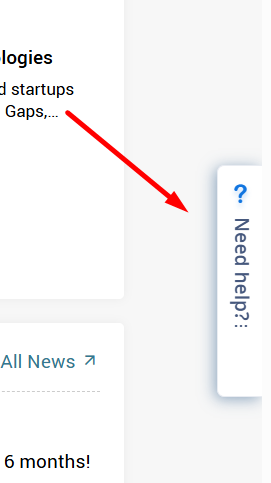
You can search for specific topics immediately in the pop-up window.
Alternatively, select "Support site" under the "knowledge base" to open Qmarkets support portal in a new tab.
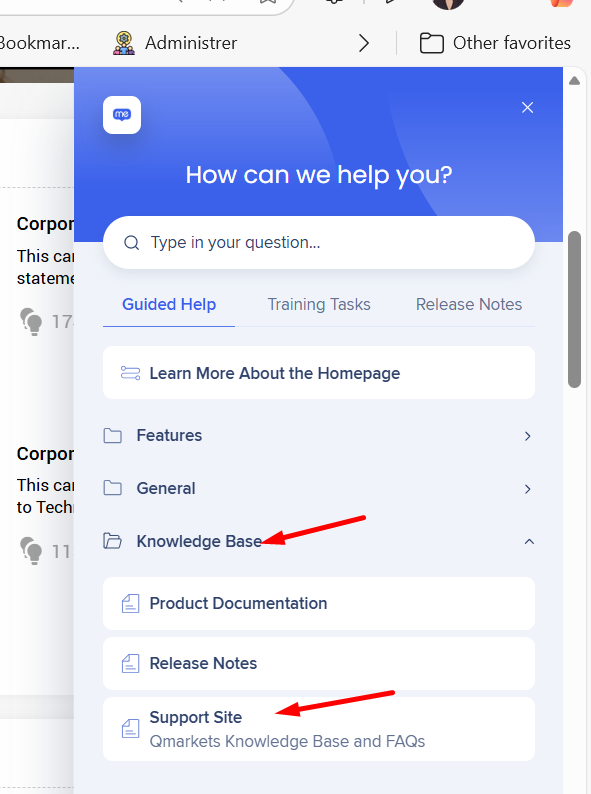
You can also bookmark and access the portal directly through your browser using this link: Qmarkets Solutions Knowledge Base
How to Find Answers?
Once you are inside the Knowledge Base, simply type the topic or question into the search bar to geta list of relevant articles/tutorials.
Example: Here are the results when searching for "Task Management":
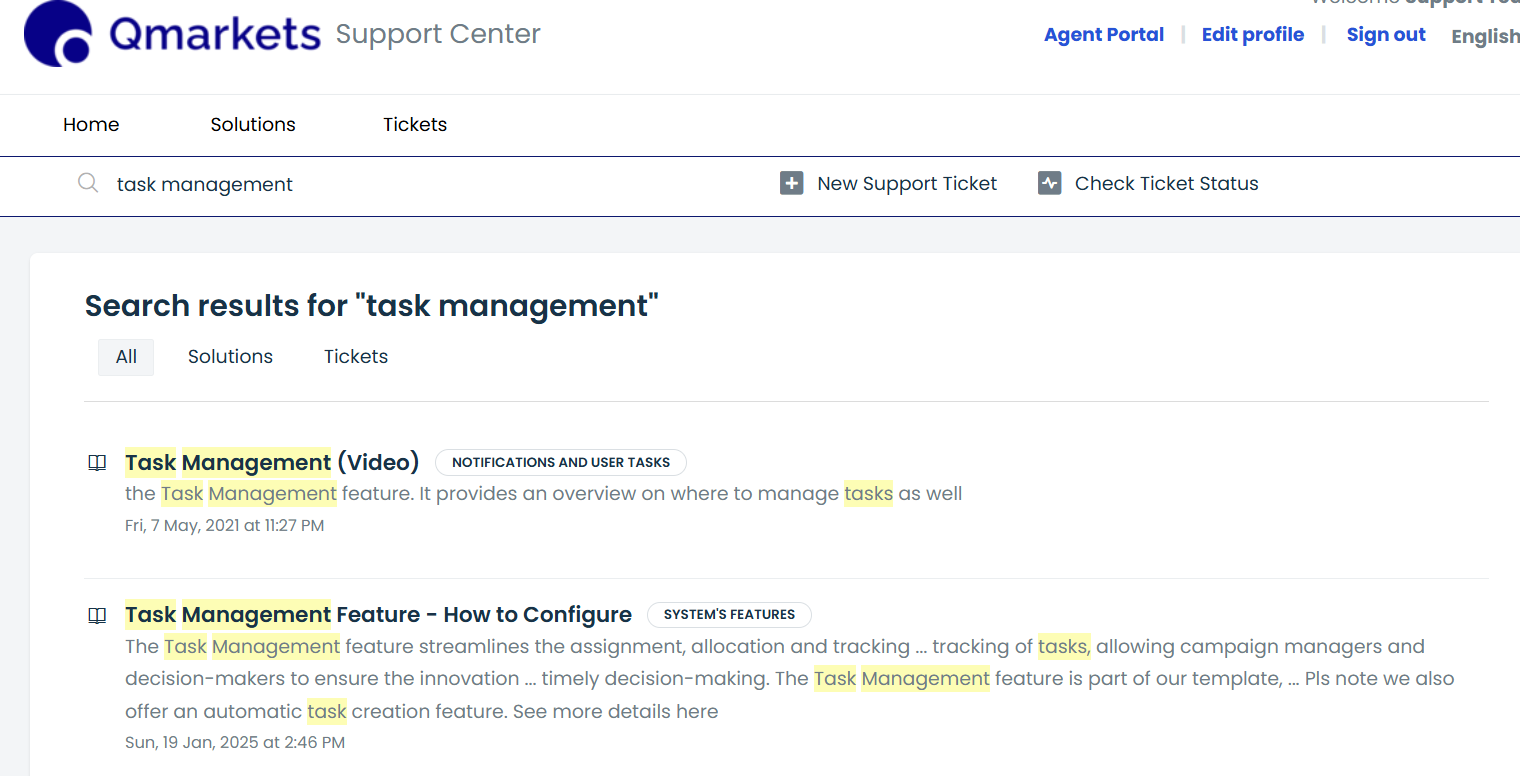
In most articles, you will find links to additional related articles .
If you have further questions or require additional information, please do not hesitate to reach out. Your feedback is invaluable as we continue to evolve our knowledge base.