
In some cases, you may need to apply specific limitations to an idea's description, such as a specific character limit.
The default Description field has a fixed 5,000 chars limitation. It can be changed if needed, but only by Qmarkets team and will apply to the default description fields across all subsystems and features.
Reminder: changing the description field label or help text can be easily changed per campaignmpiagn as explained here (see second bullet).
If the character limit is crucial for a specific campaign, there is a workaround in which you can use a custom text field instead as explained below.
This workaround has a few limitations, so if you have any doubts, please consult with your CSM.
How to configure it
- At the subsystem level, create a new text field and configure the required character limit.
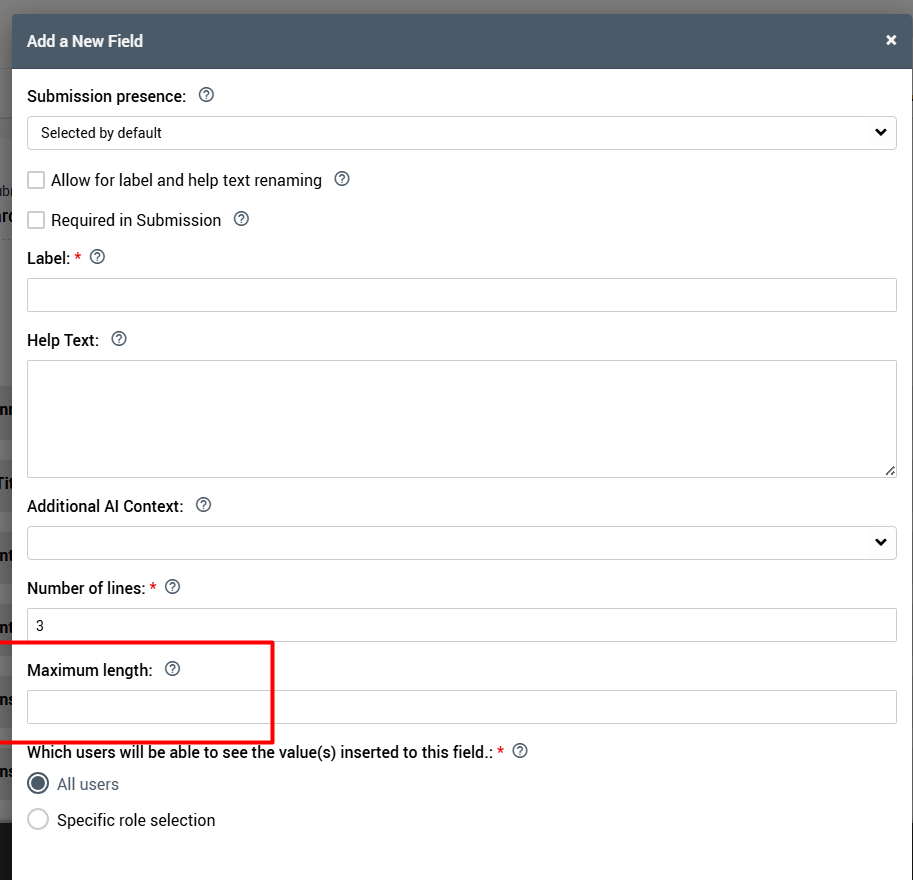
- Add the new field to the submission field of the specific campaign
- Remove the out-of-the-box Description field for that campaign. note: it's label might be different but it will be the only text field with the lock icon.
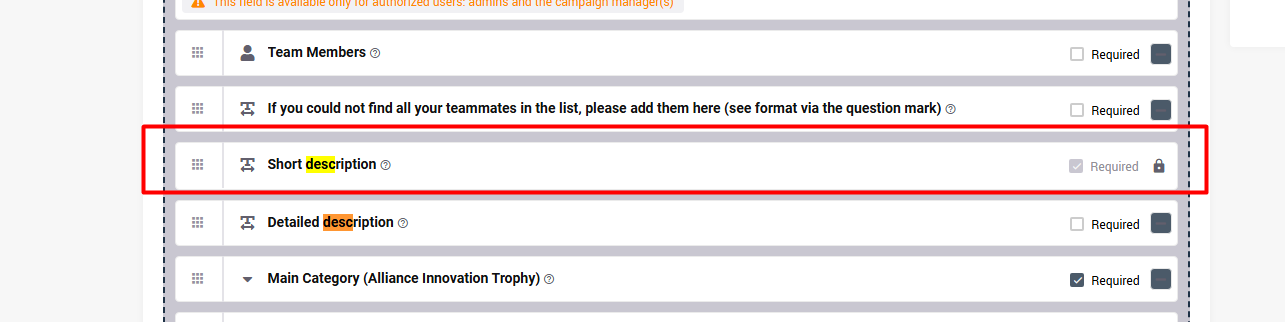
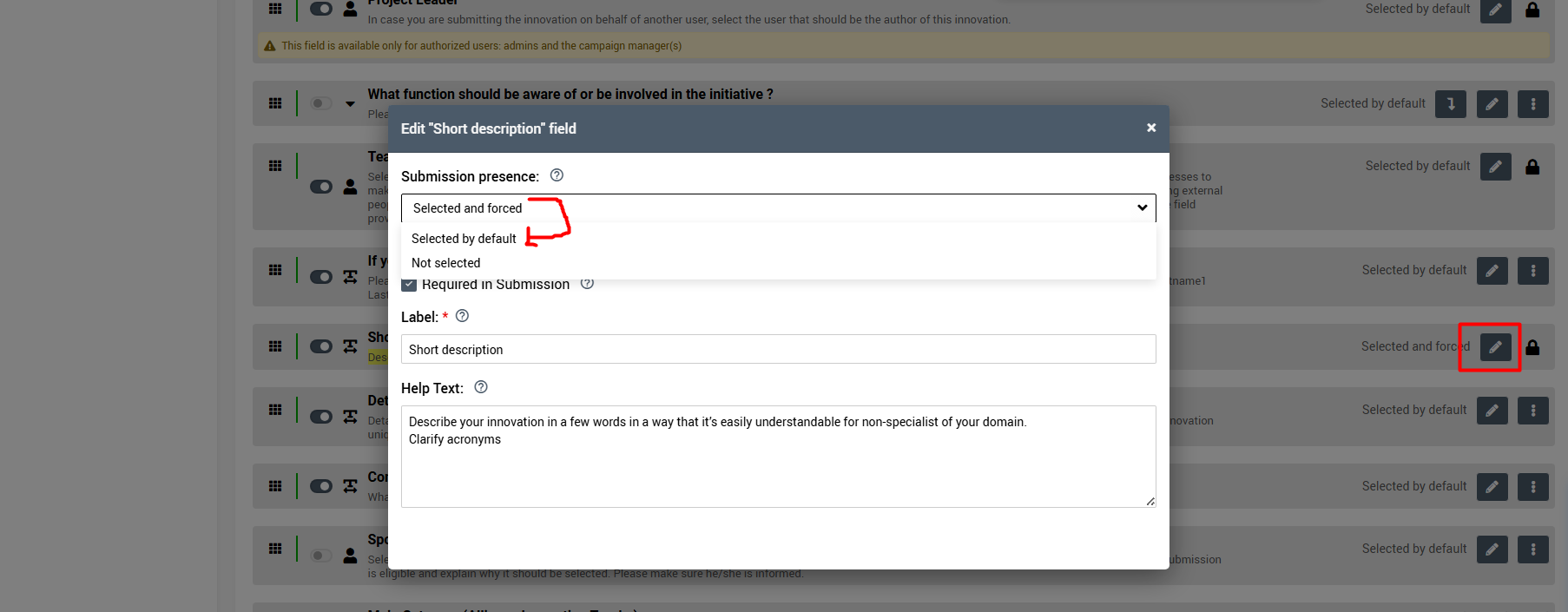
Note: removing the default description field is usually not allowed. Only sysadmins/subsystem admins will be able to do it by changing the field settings in the relevant subsystem as required. It is recommended to change it, and then change it back.
See more details about this setting in this article.
Important considerations
Before using this workaround, please consider the following:
- Limited system visibility: The default Description field is used in various places throughout the system, including short teasers and tables. If disabled, these areas may appear empty.
- UI/UX impact: Since the custom field does not fully replace the default Description field across the system, the overall display may be less optimal.
For example: The new text field will be displayed on the idea page below the image (like any text field), rather than alongside it like the default Description field.
For these reasons, we recommend using this workaround only when the specific field limitation is essential for the campaign.
If you decide to use it, please contact the Qmarkets Support team, and we can add the custom field to the idea's side panel to improve its visibility.